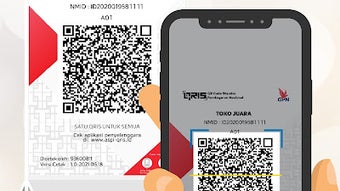

Download OttoPay – Business App, Merchant Tool, Bill Payment, Prepaid Credit, QRIS, Stock Management, Warung, Shop Management, Digital Transaction
Overview
OttoPay is a desktop application tailored for merchants, particularly small business owners and Warung operators in Indonesia. Designed to support a wide range of digital transaction services, the software enables users to sell prepaid credit, data packages, electricity tokens, gaming vouchers, BPJS, phone credit, water, internet, and other bill products. The application also facilitates the ordering of stock items and the introduction of new product lines, including ice cream, daily necessities, and groceries.
By integrating QRIS (Quick Response Code Indonesian Standard) capabilities, OttoPay empowers merchants to accept non-cash transactions, improving financial efficiency and customer convenience. The platform supports business monitoring through a built-in History feature, allowing users to track sales and manage records with greater clarity. The developer did not provide additional system requirements.
Platform compatibility information is limited to Windows, Mac, and Linux. The software was released on April 10, 2024, and is available at no cost. It is intended for users seeking to modernize their storefront operations and increase profitability through digital integration.
Key Features & Capabilities
- Bill Payment Services – Allows merchants to sell digital products such as prepaid credit, data packages, electricity tokens, water, internet, and phone credit. This feature supports real-time transactions and helps businesses diversify revenue streams.
- Stock Management – Enables users to monitor and manage inventory, including the ability to order new stock items. This feature supports the addition of new product categories like ice cream, groceries, and daily necessities.
- QRIS Integration – Equips Warung owners and merchants with the ability to accept QRIS-based payments, promoting cashless transactions and aligning with national digital payment standards.
- Product Expansion Tools – Provides functionality to introduce new products and services, helping merchants adapt to market demand and increase customer engagement.
- Transaction History & Record Keeping – Offers a built-in History feature that maintains detailed records of all transactions, aiding in financial oversight and business monitoring.
These capabilities are designed to streamline operations for small retailers and Warung owners. For example, a Warung operator can use OttoPay to sell mobile data packages alongside groceries, attracting more customers while reducing reliance on cash. Similarly, a shop owner can use the system to track inventory levels and reorder stock automatically when thresholds are reached. The software supports a scalable model for side businesses aiming to grow through digital services.
User Interface, Workflow & Performance
The user interface of OttoPay is structured to support fast and intuitive navigation for merchants with minimal technical training. Core functions such as product selection, transaction processing, and stock management are accessible through clearly labeled menus and buttons. The workflow is designed to minimize steps per transaction, enhancing efficiency during peak hours.
Users can switch between product categories quickly, initiate payments, and view real-time transaction logs. The developer did not specify resource usage details. Performance observations are based on general software behavior patterns.
Stability is expected to be consistent with standard desktop applications, though real-world testing data was not provided. The application does not require high CPU or RAM usage, suggesting it runs smoothly on mid-range hardware. However, exact performance metrics were not listed.
The user experience appears optimized for daily operational use, with a focus on minimizing downtime and maximizing transaction speed.
Compatibility & System Requirements
OttoPay is available for Windows, Mac, and Linux operating systems. The software has a file size of 100 MB, indicating a lightweight installation. The version is listed as 1.0, suggesting an initial release with core functionalities.
The developer did not specify exact system requirements. Compatibility information was partially provided. No mention of minimum CPU, RAM, or storage thresholds was included.
The application may be compatible with most modern desktop systems, but users are advised to verify system specifications before installation. No additional hardware dependencies were noted. For users on older systems, compatibility may vary.
The absence of detailed requirements means that installation on low-end machines cannot be confirmed. Users should ensure their system meets general desktop software standards for optimal performance.
Pros and Cons
Pros
- Free to download and use, reducing entry barriers for small merchants.
- Supports a wide range of digital bill payments and prepaid products.
- Includes QRIS integration for cashless transaction acceptance.
- Offers stock management and product expansion tools for business growth.
- Provides transaction history for improved record keeping and monitoring.
Cons
- Exact system requirements were not listed, limiting user preparation.
- No information on update frequency or version release schedule.
- Performance data and resource usage details were not provided.
- Limited OS compatibility details beyond Windows, Mac, and Linux.
- No official support channels or documentation were referenced.
FAQ Section
Is OttoPay available for all operating systems?
Yes, OttoPay is compatible with Windows, Mac, and Linux. However, specific system requirements were not provided by the developer.
Is the software secure to use?
While no security details were disclosed, the application supports digital transactions and QRIS, which are regulated under national standards. Users are advised to follow best practices for account protection.
How often are updates released?
The release date of version 1.0 was April 10, 2024. The update frequency was not specified by the developer.
Can I use OttoPay offline?
It is unclear whether OttoPay supports offline functionality. The software requires connectivity for transaction processing and stock updates.
What license type does OttoPay use?
OttoPay is offered as a free tool with no cost to users. The specific license terms were not disclosed in the provided information.
Final Thoughts
OttoPay presents a compelling solution for Warung owners and small merchants seeking to modernize their operations through digital services. With its support for bill payments, prepaid products, QRIS transactions, and stock management, the software addresses key pain points in traditional retail environments. The inclusion of a transaction history feature enhances transparency and financial control.
While the lack of detailed system requirements and performance data limits full user confidence, the application’s lightweight size and multi-platform availability make it accessible. It is particularly well-suited for entrepreneurs looking to expand their services without significant investment. The free pricing model further strengthens its appeal.
For those aiming to grow their business through digital integration, OttoPay offers a practical and scalable tool. Download OttoPay now.







